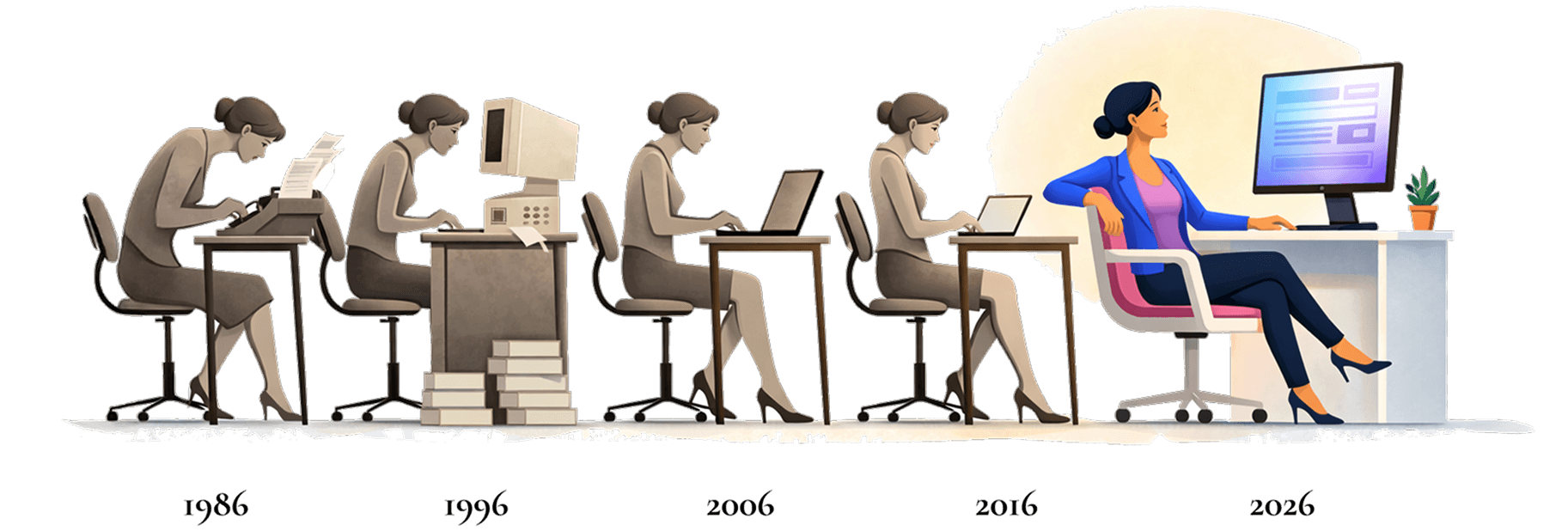
In 1986, Clerks typed meeting minutes by hand. Forty years later, most are still doing exactly that, just with better equipment. Until now.
No Credit Card Required
Council wrapped up at 7:30. It's 9:45 now, and you're sitting in a quiet building with headphones on, dragging the audio back fifteen seconds to catch the exact wording of that amendment one more time.
This is the part of the job nobody sees. The hours after everyone else goes home, when you transform a two-hour meeting into the official public record.
Following every procedural move in real time—who made the motion, who seconded, whether that was a friendly amendment or a substitute motion—while simultaneously writing fast enough to capture it all. You can't ask them to pause. You can't rewind. You just have to keep up.
You caught most of it. But "most" isn't good enough when the official record is your responsibility.
Now you're cross-referencing your notes against the recording. Listening. Pausing. Rewinding. Playing it again. Your shorthand made perfect sense three hours ago. Now you're trying to remember what "GH - amend re: pkg mtrs??" actually meant.
This isn't a one-time thing. This is every meeting. And the planning commission meets Thursday.
Your board sees the finished minutes show up in their packet. Clean, organized, ready for approval. They don't see the hours that went into producing them. They don't know you stayed until 10 PM on a Monday, or that you spent your Saturday morning finishing up before the deadline.
You make it work because that's what Clerks do. But you shouldn't have to choose between doing it right and having a life outside the office.
 scale(1.6 1) translate(-0.5 -0.85)%22%3E%3Cstop offset=%220%22 stop-color=%22%23fdbdd6%22/%3E%3Cstop offset=%220.68%22 stop-color=%22%23fcbcd5%22 stop-opacity=%220.95%22/%3E%3Cstop offset=%220.88%22 stop-color=%22%23e3b6d5%22 stop-opacity=%220.45%22/%3E%3Cstop offset=%221%22 stop-color=%22%23c9aed6%22 stop-opacity=%220%22/%3E%3C/radialGradient%3E%3ClinearGradient id=%22gold%22 x1=%220%22 y1=%220%22 x2=%220%22 y2=%221%22%3E%3Cstop offset=%220.66%22 stop-color=%22%23e8cc91%22 stop-opacity=%220%22/%3E%3Cstop offset=%220.88%22 stop-color=%22%23e7cb8c%22 stop-opacity=%220.85%22/%3E%3Cstop offset=%221%22 stop-color=%22%23e7cb8c%22/%3E%3C/linearGradient%3E%3Cfilter id=%22n%22 x=%220%22 y=%220%22 width=%22100%25%22 height=%22100%25%22%3E%3CfeTurbulence type=%22fractalNoise%22 baseFrequency=%220.45%22 numOctaves=%222%22 stitchTiles=%22stitch%22/%3E%3CfeColorMatrix type=%22saturate%22 values=%220%22/%3E%3CfeComponentTransfer%3E%3CfeFuncR type=%22linear%22 slope=%222.2%22 intercept=%22-0.65%22/%3E%3CfeFuncG type=%22linear%22 slope=%222.2%22 intercept=%22-0.65%22/%3E%3CfeFuncB type=%22linear%22 slope=%222.2%22 intercept=%22-0.65%22/%3E%3C/feComponentTransfer%3E%3C/filter%3E%3C/defs%3E%3Crect width=%221000%22 height=%221449%22 fill=%22url(%23g)%22/%3E%3Crect width=%221000%22 height=%221449%22 fill=%22url(%23dome)%22/%3E%3Crect width=%221000%22 height=%221449%22 fill=%22url(%23gold)%22/%3E%3Crect width=%221000%22 height=%221449%22 filter=%22url(%23n)%22 opacity=%220.6%22 style=%22mix-blend-mode:overlay%22/%3E%3C/svg%3E)
We don't just record your meetings. We don't just transcribe them either.
We generate actual meeting minutes.
Not a transcript with timestamps. Not a wall of text you have to format. Actual minutes—organized, formatted, and ready for review.
Upload your recording (any format, any length)
Our AI listens and understands context, motions, votes, and speakers
Get back formatted minutes in your preferred style, ready to review and publish
MOTION: Councilman Rodriguez moved to approve the FY2026 budget as amended. Councilwoman Chen seconded.
DISCUSSION: Mayor Williams noted the 3% increase in infrastructure spending...
VOTE: Motion carried 4-1, with Councilman Gustafson dissenting.
More than 350 Clerks have already made the switch. Not because they love technology. Because they were done doing 2026's job with 1986's process.
—Heather M, Clerk, City of Long View, NC
—Tyler Cameron, City Recorder at City of Providence, UT
—Michele, Professional Assistant to the Town Clerk at the Town of New Castle, CO
And here's what they say about the quality:
—Lynnae Kolden, Clerk at Village of Rib Mountain, WI
—Alison, Administrative Assistant at Town of Boylston, MA
Choose Your Path
No Credit Card Required
Learn with Experts
Not sure which? Do both. Start your trial, and if you want to dive deeper, join the weekly sessions. Most successful ClerkMinutes users do exactly that.
How is this different from just using ChatGPT?
ClerkMinutes® is purpose-built for municipal meetings. It understands agendas, motions, seconds, and roll calls, not just general text. It structures your minutes automatically, applies clerk-approved formatting, and ensures compliance-ready records without manual editing.
How is this different from Otter AI or other transcription tools?
Can’t our staff just type up minutes from the recording like we always have?
Can it really understand government terminology?
How accurate are the transcriptions?
What if the AI gets something wrong?
Can it distinguish who’s speaking?
Is our data secure?
Do you store our recordings?
Is it compliant with open records laws?
Why pay for this when we could do it manually?
What’s included in the price?
Is there a free trial?
Can it work with our existing recording system?
Can we customize the format of the minutes?
Can multiple staff members collaborate?
Can ClerkMinutes handle meetings longer than 5 hours?
We’re used to doing minutes a certain way. Will this change our process?
What if we don’t have great audio quality?
Is this going to replace clerks?
Do I need training to use it?
Upload your last meeting recording right now. See what ClerkMinutes can do for your specific situation.
No Credit Card Required
Want to learn with other Clerks?
© 2026 HeyGov, Inc. All rights reserved.
ClerkMinutes® is a product of HeyGov.
Questions? Call