She Used to Spend a Week on Minutes for a City of 95,000. Now, It's a Day.
Discover how one Clerk uses ClerkMinutes to save time and produce better meeting minutes in South Carolina.
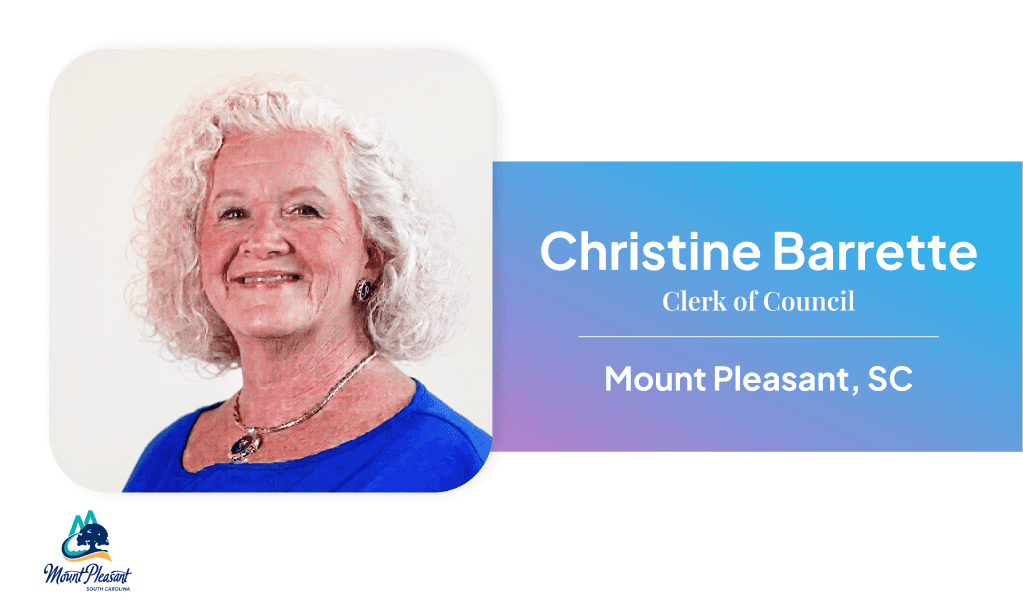
Christine Barrett is the Clerk of Council for Mount Pleasant, a fast-growing city of 95,606 residents just outside of Charleston, South Carolina. In her role, she manages communications and scheduling for nine town council members. Her days don't follow a script. New priorities land without warning, people walk in mid-task, and email never stops. Minutes sit somewhere in the middle of all of it as something that is necessary, time-sensitive, and relentless.
"It changes every day," she says. "It's like a poker hand. You constantly have to reshuffle your priorities because you never know what's going to get thrown at you."
She's not just responsible for minutes. She's the person who fields everything, and minutes were eating her alive.
7+ hours just to publish minutes
Before ClerkMinutes, Christine recorded every meeting and typed sparse keywords during it. It was enough to identify who said what on the tape. Then the meeting would end, and the real work would begin.
She'd go back to the recording and listen to the whole thing again, typing close-to-verbatim notes while the audio played. For a three-hour meeting, that replay process alone took six or seven hours. A standard council meeting took about a week to turn around.
"Some of my meetings are two, three, four, five, seven hours long," she says. "And for me not to have to go back and sit and listen to that, because if you've got three hours worth of a meeting, it's going to take you six or seven hours to get through that recording if you're trying to type at the same time."
She was looking for a better way to do her job without spending half the week staring at a progress bar.
Three options, one clear winner
Christine didn't find ClerkMinutes on her own. A town council member actually was the one who flagged it on her radar along with a couple of other options.
She'd seen transcription tools before. They always hit the same wall and would melt down at two or three speakers. For a nine-member council where motions get seconded fast and voices overlap, that wasn't going to work.
That is until she discovered ClerkMinutes.
The Aha moment
The first time Christine generated a set of minutes in ClerkMinutes, she didn't know what to expect.
"I was shocked," she says. "I was shocked that it could take a recording and transcribe it so quickly and be so accurate. And I didn't have to sit and listen to a recording again."
That last part of not having to relive the meeting was the biggest time savings unlock for her.
Plus, ClerkMinutes could do things she wished for that no one else could do. For instance, ClerkMinutes could handle multiple speakers well without melting down. It could also take a six-paragraph ramble and turn it into one or two accurate sentences.
"We had looked at different transcription things years ago, but they didn't have the ability to be able to discern between more than two or three speakers," she says. "So we liked that ClerkMinutes was able to actually pick up the different speakers and that there could be more than two or three, and that it did actually transcribe verbatim and then could take that and condense it into a shorter version of what was said while at the same time being very accurate."
That combination of multiple speakers, verbatim accuracy, and intelligent condensing was what her work actually required and why she chose ClerkMinutes.
A week becomes a day
Fast forward to today, Council meetings that used to consume a week now take a day or two. Short sessions are done before she's even had time to think about them.
"I had a meeting the other night and it was about a 20 minute meeting," she says. "I came back right after the meeting. I plugged everything into ClerkMinutes and I had everything done in 15 minutes."
It spread across her team too. Several colleagues handle committee meeting minutes, and they landed in the same place.
"It's less than half the time that we used to have to spend doing the minutes," Christine says.
The time she recovered didn't disappear into nothing. It went back into the job, the council members, the public requests, and the ordinances that need to be online before the next meeting starts.
A platform that actually listens and cares
Christine has flagged things along the way to ClerkMinutes support like hyperlinks sometimes not carrying through from uploaded agendas or subheadings not rendering for nested agenda items. She sends an email when something isn't working the way she needs it to. The responses are always fast and friendly.
"I just want to say that I am very grateful that every time I've had an issue or needed something and I sent you an email. You email right back to me," she says. "That really impresses me and I appreciate it."
She's not just a customer. She's become a feedback loop the product is actually responding to. And she knows it.
"I would tell them that ClerkMinutes is amazing that it is such a time saver. That it's accurate as far as condensing what people say. And it's just an amazing program. I would definitely recommend it."
Keep reading
How a fast-growing Florida county stopped falling behind on meeting minutes
See how one Florida Clerk cut hours from meeting minutes with ClerkMinutes.
The North Carolina Town Clerk Who Turned Eight-Hour Meetings Into 45-Minute Turnarounds
How Heather Minor, Town Clerk at the Town of Longview, went from multi-day transcription marathons to done-by-Tuesday
No more couchwork
How St. Louis Park, MN cut a month-long meeting minutes backlog down to 30-45 minutes.
ClerkMinutes
®
HeyGov, Inc.
Sturgeon Bay, Wisconsin
Toll-Free:
Email: