
ClerkMinutes for County Clerks
The meeting minutes tool built for County Clerks running more than one board
ClerkMinutes handles agenda building, AI transcription, multi-speaker attribution, motion tracking, public comment, and approval workflows for the commissioners, the planning commission, the zoning board, and of course the Clerk.
First 14 days completely free. No credit card required.
County Commission
Planning Commission
Zoning Board
Parks Board
Work Sessions
Trusted by 500+ municipalities
City of Newport News
Puyallup
Oregon City
City of Naples
Williamsburg
Sierra Madre
500+
Clerks using ClerkMinutes
500+
Municipalities using ClerkMinutes
5+
Boards handled in one system
Where your workload actually multiplies
Most minutes software assumes one board, one format, and one meeting a month. County offices don't work that way. You have five or more boards, each on its own schedule, each with its own format requirements. Sometimes set by state statute. Sometimes just by tradition nobody wants to break. The same office is Clerk of record for all of it. That's more formats to track, more meeting minutes deadlines stacking in the same week, and no system built to hold more than one board at a time.

How ClerkMinutes works for a county
Step 1
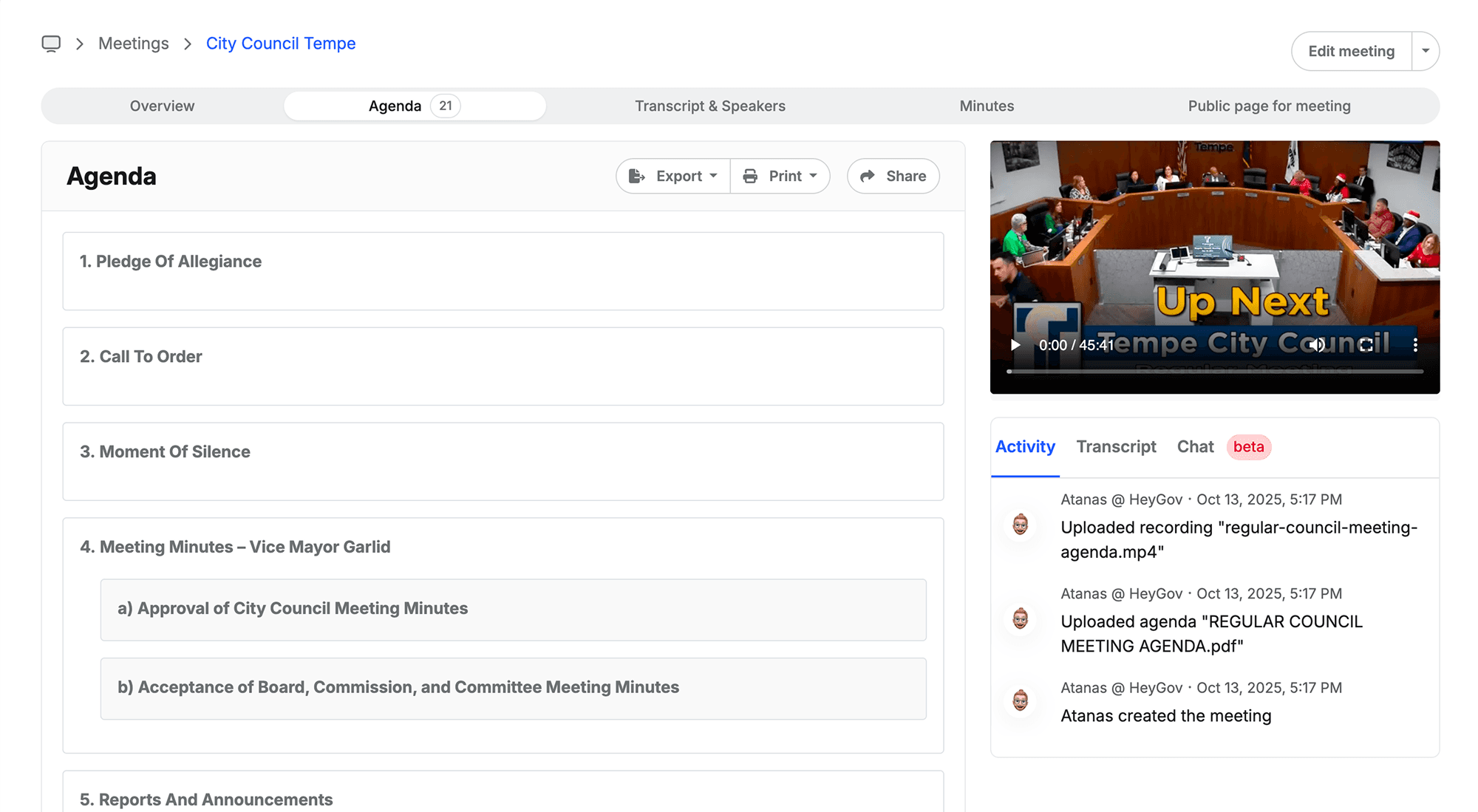
Before the meeting
Build agendas with your team in one system instead of an email chain. Multiple people contribute and edit in real time, whether it's the commissioners' agenda this week or zoning's the next.
Step 2
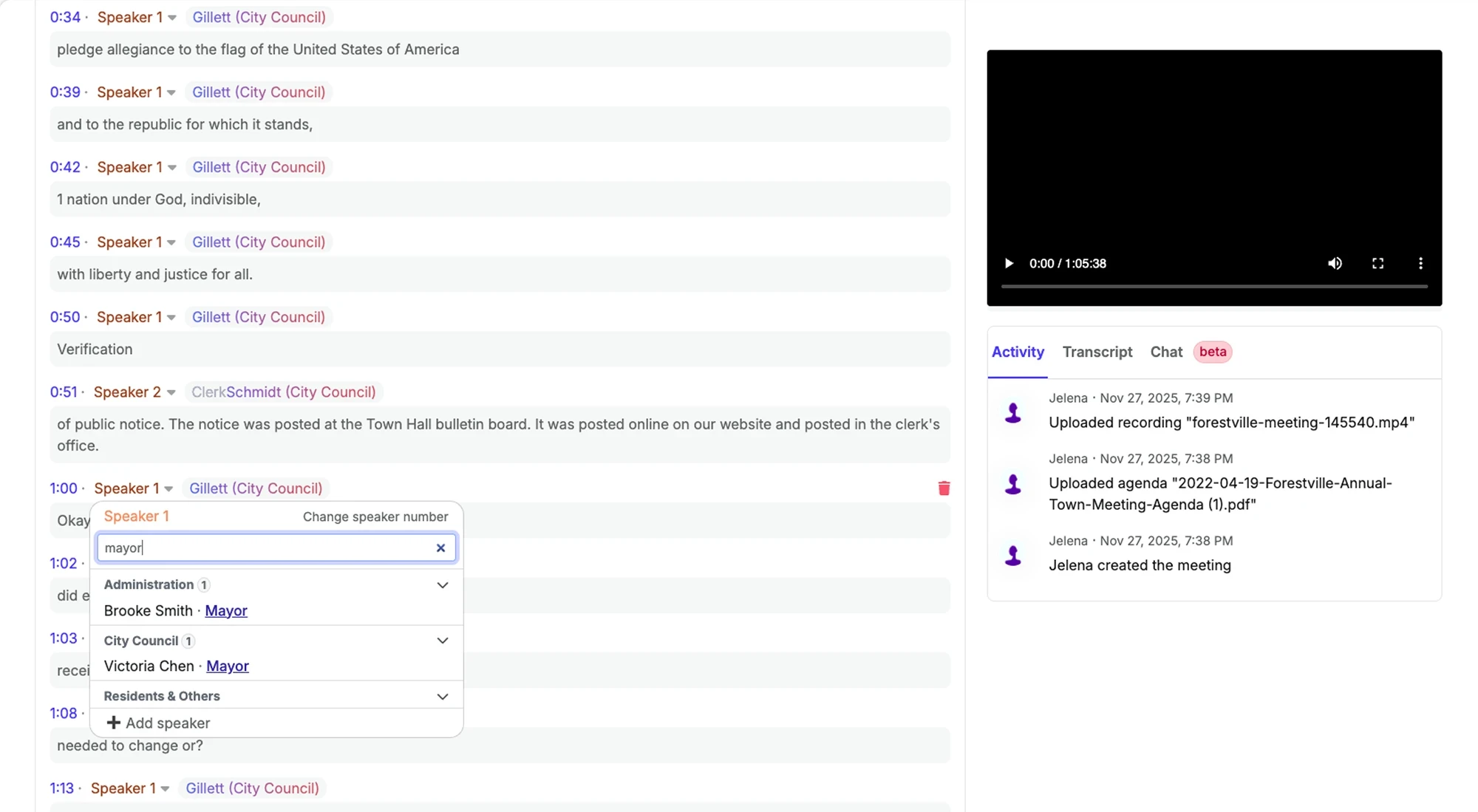
During the meeting
Upload your recording, or pull straight from Zoom or YouTube. ClerkMinutes is trained on government meeting structure, and speaker recognition holds up across multi-hour meetings with multiple speakers.
Step 3
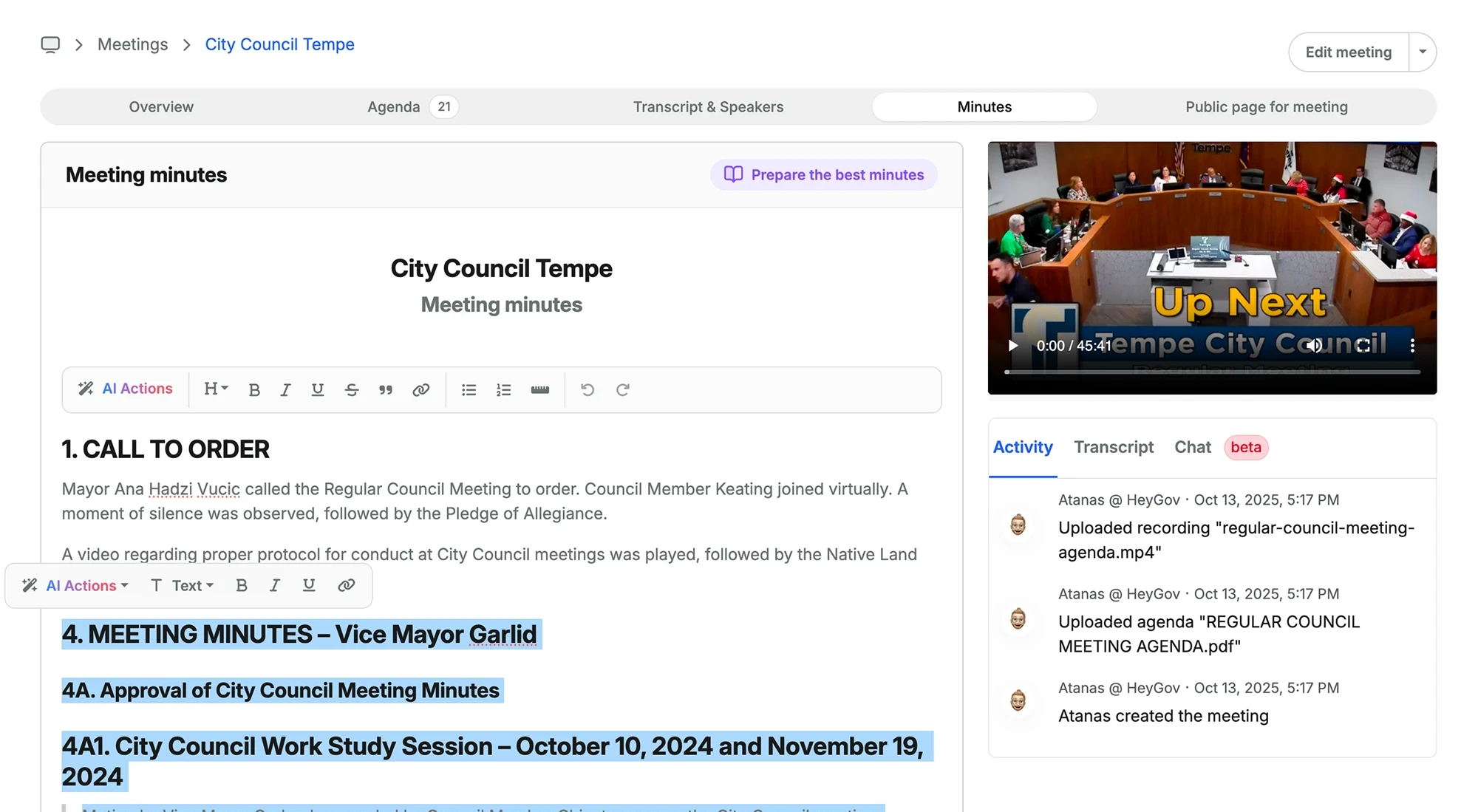
After the meeting
Minutes come back structured in your county's format: motions, seconds, vote counts, and public comment. Review, edit, export as DOC or PDF, and publish them straight to your website.
What ClerkMinutes handles for County Clerks
Templates and rosters, by board
Set the format once for the commissioners, once for zoning, and once for planning. ClerkMinutes remembers which one applies, and learns each board's roster so there's no re-explaining who's who.

One system for every board
Your whole office works out of the same system, whichever board's minutes they're touching that day. Search across boards, and find what the zoning board decided in March without digging through a separate archive.
Which plan fits a county?
Starter works well for a commission and a couple of boards. Counties with more meetings and committees usually choose Growth. Upgrade anytime.
For the first time in probably over a year I had got caught up on all my minutes. I was so happy. All six boards are current.
Karen Owens
Walton County, FL
Frequently Asked Questions
Can ClerkMinutes handle just commission meetings, or also other boards and committees?
It can handle all of them! Every plan covers multiple boards and departments, so planning commission and zoning board minutes work just like commission minutes. Each board can have its own template and letterhead, so the look and feel stays unique for each board in your county.
Will the minutes match our current format & style?
Can we publish agenda and minutes to our county website?
How long does it take to get started?
ClerkMinutes
®
HeyGov, Inc.
Sturgeon Bay, Wisconsin
Toll-Free:
Email: